● Food · Gym · Planner

Track food, workouts,
and your day — in seconds.

Three native iOS apps on one account. Type it, say it, or snap a photo — it all syncs to one web dashboard.

One sign-in. Your food, workouts, and plans — shared everywhere.
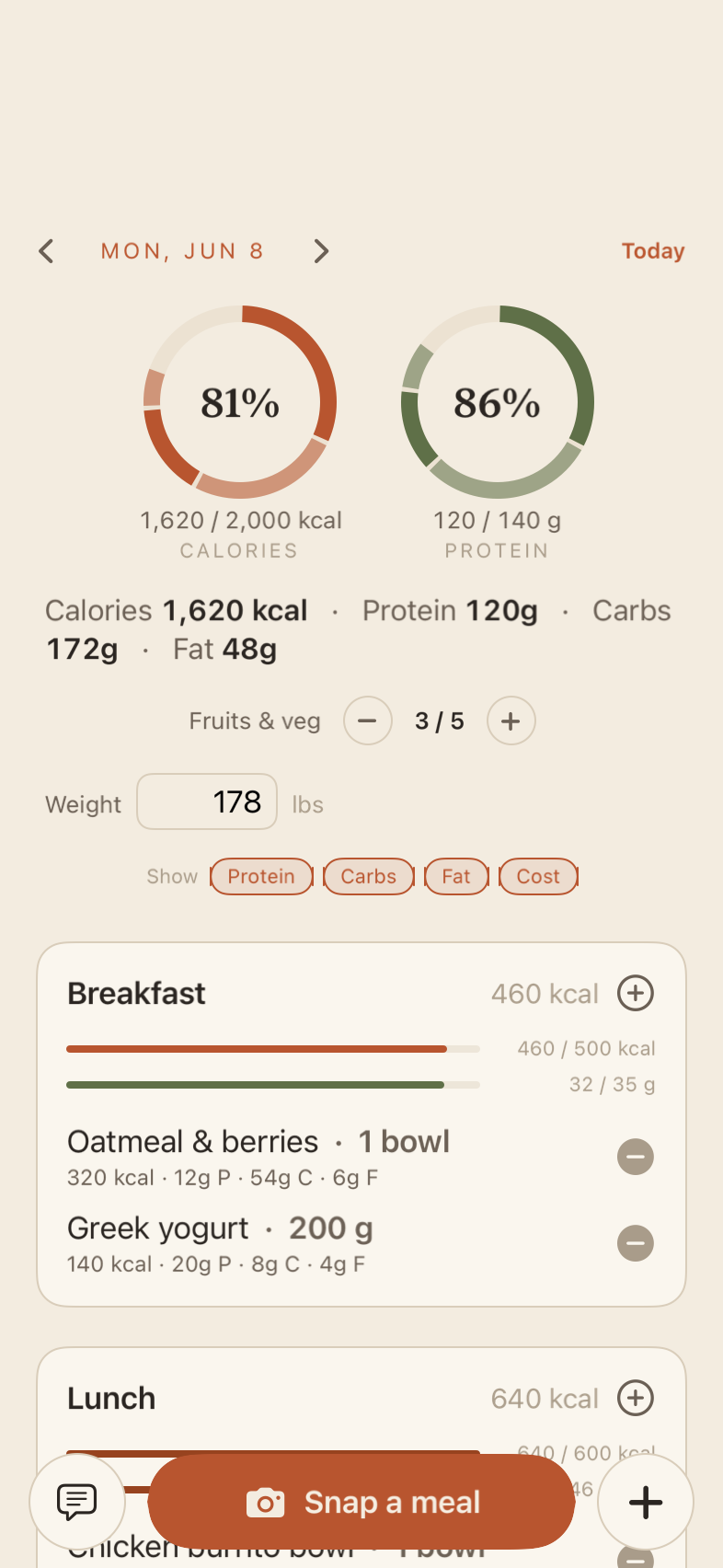
Food today screen — calorie and protein rings
📷 “grilled salmon & greens”
520 kcal42g protein
How it works

Snap it, say it, or type it — the AI structures it.

You capture in a second; it turns your input into a clean, editable entry. Edit anything afterward.

📷 You snap a plate
🍱
photo of your lunch
Logged in Food
Chicken & rice bowl
640 kcal46g protein 58g carbs22g fat
🎙 You say
"Call the dentist tomorrow, and gym at 6."
Planned automatically
Call the dentist · tomorrow
Gym · 6:00–7:00 on your calendar
⌨ You type
"bench 3×8 at 135"
Logged in Gym
Bench press
8 × 135 lb8 × 135 lb8 × 135 lb
Capture

Four ways to log.

Every app takes the same four inputs, so logging a meal, a set, or a task is quick — pick whichever's fastest in the moment.

Chat

"Chicken bowl and a yogurt." Plain language becomes structured entries.

Voice

Hands full? Dictate it. On-device speech, straight into the log.

Photo

Snap your plate or a handwritten list. Vision fills in the details.

Manual

Prefer to tap it in? There's always a plain form.

Three apps, one account

Each app does one thing.

No extra features you won't use, no dashboards full of charts you'll never read — just the one job, done well.

Food app icon
Food
Calorie & macro log

Calories and macros, fast.

Rings for calories and protein, per-meal breakdowns, and quick estimates you can always edit. Log a meal in a few seconds.

  • Snap a meal — vision estimates calories & macros from a photo.
  • USDA-backed search with smart portion scaling.
  • Calories, protein, carbs, fat — plus fruit/veg and weigh-ins.
Get the Food beta Free · via Apple TestFlight · iOS 17+
Food today screen
Gym app icon
Gym
Workout log

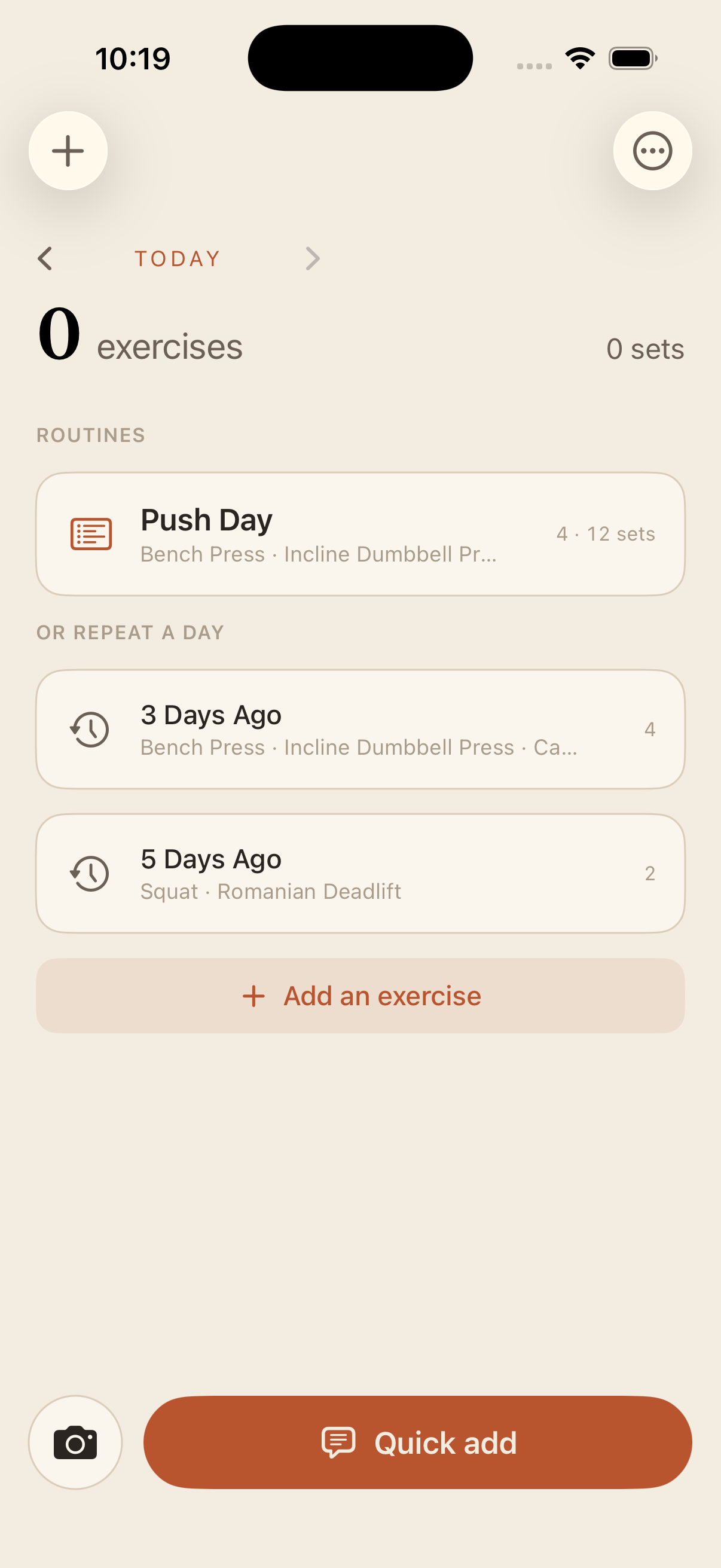
Every set, the moment you finish it.

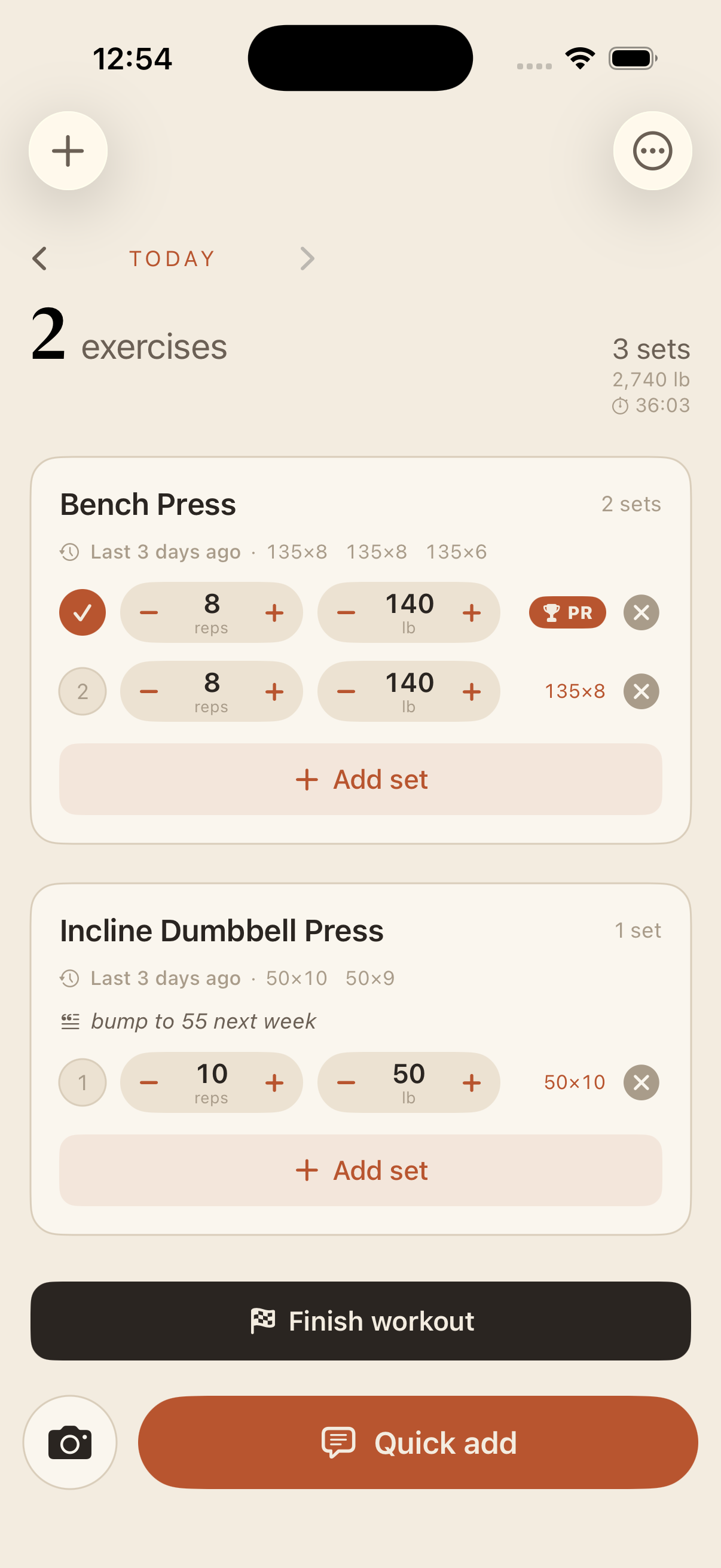
Dense set rows, last-time hints, PR badges, and a rest timer — the logging is quick so the lifting stays the focus.

  • Last-time recall next to every exercise — beat your numbers.
  • PR badges & volume tracked automatically, warm-ups excluded.
  • Quick add by voice or chat between sets.
Get the Gym beta Free · via Apple TestFlight · iOS 17+
Gym start screen
Gym workout screen
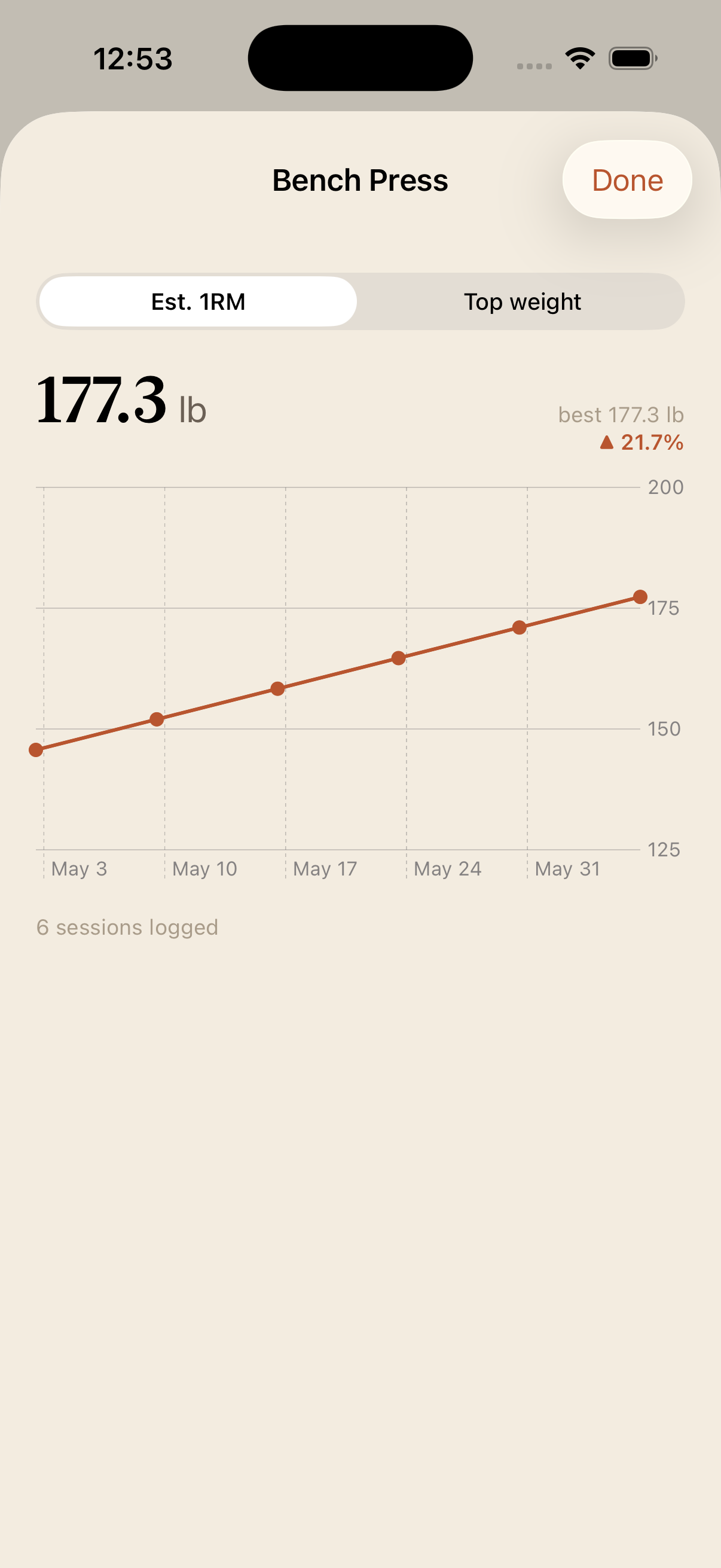
Gym trend screen
Planner app icon
Planner
Day · week · month

Plan the day, then the week.

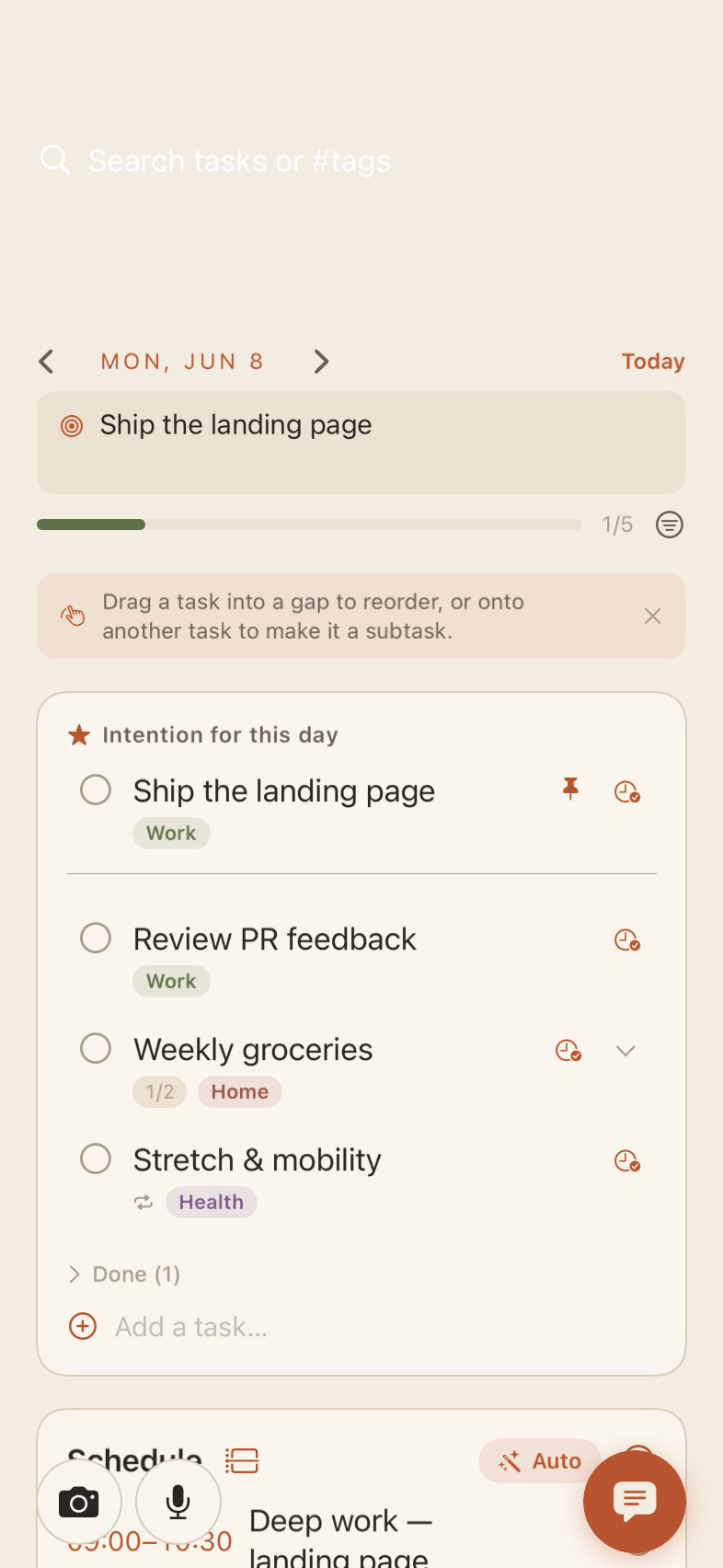
One intention for the day, a task list that floats what matters, and a timeline that auto-schedules the rest. Day, week, month, and year — one tap apart.

  • Set the day's intention — your one most-important thing, front and center.
  • Drag to nest, pin, snooze, repeat — tasks that bend to real life.
  • Auto-schedule open tasks into your day's free time.
Get the Planner beta Free · via Apple TestFlight · iOS 17+
Planner day screen
One account, everywhere

Everything you log shows up on the web too.

The same data behind all three apps lives in one place online. Open it in any browser, review your day, and pick up where your phone left off.

1
login for Food, Gym, and Planner — and the web dashboard
3
apps that share one log: meals, workouts, plans
AI
snap a photo or say a sentence — it does the typing